By set dynamic path:
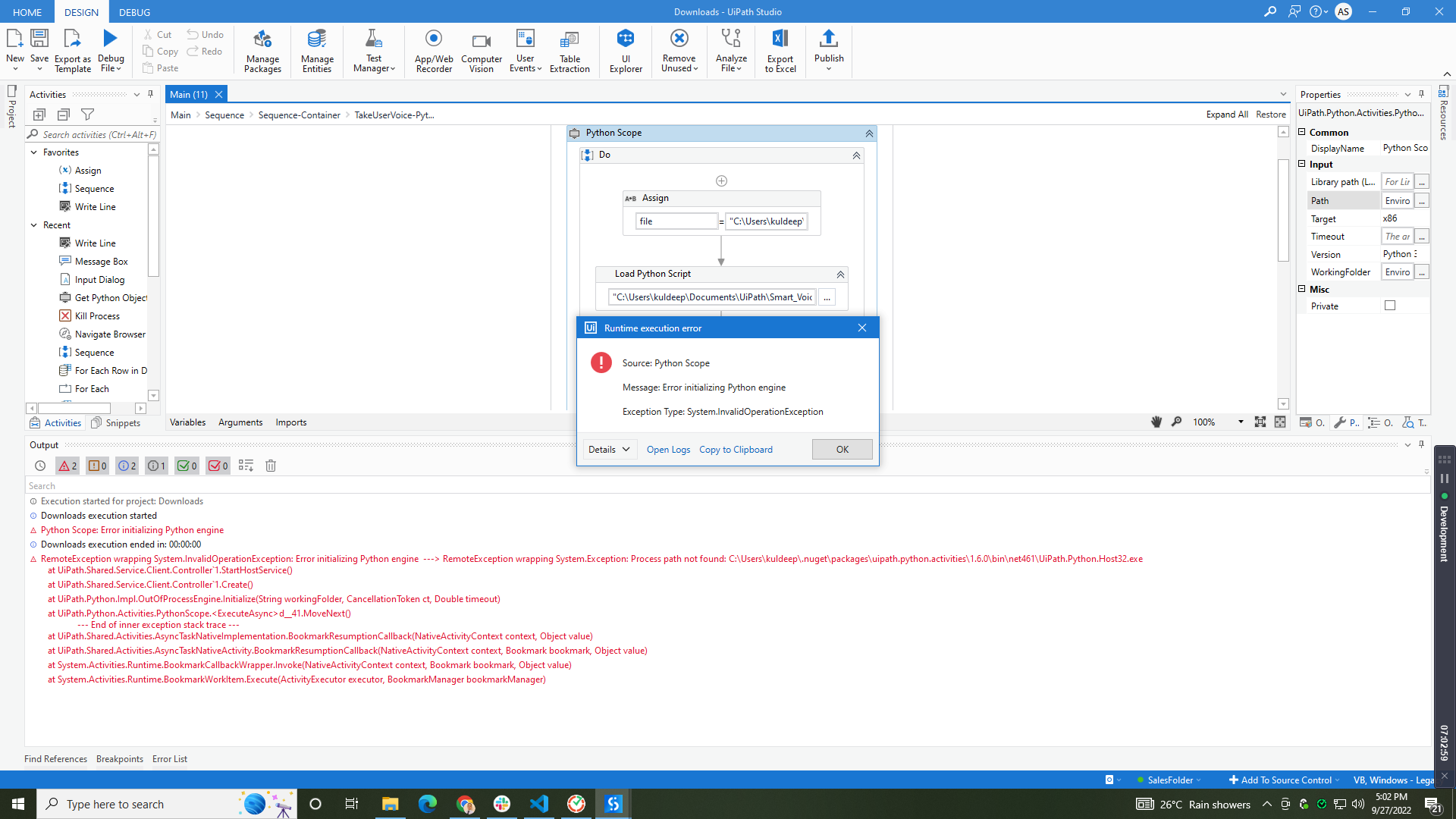
Kindly open your python folder and check the folder.

Hi @Aastha_Singh ,
Was the Process Running fine previously as mentioned above ? If so, Could you let us know if there was any updates on the machine or the python version ?
Hello,
This process is running successfully, but after execution of 4 to 5 times this file is missing every time. This is the problem in this process.
File name: Uipath.python.Host.exe

Thanks
@Aastha_Singh
If issue with python, kindly uninstall and re-install 3.6 or3.8 version and try again
I already try this.
Problem is in the Uipath python package.
@Aastha_Singh , Open type cmd in search bar and open the command prompt
type-> where python and copy the dirctory and paste as a path.
@Aastha_Singh
Try to run python by opening the command prompt
- type →
pythonand enter - then type this
a=120
b=30
c=a+b
print(c)

Have the same issue… but on Python 3.9

Is there something wrong with my environment variables?
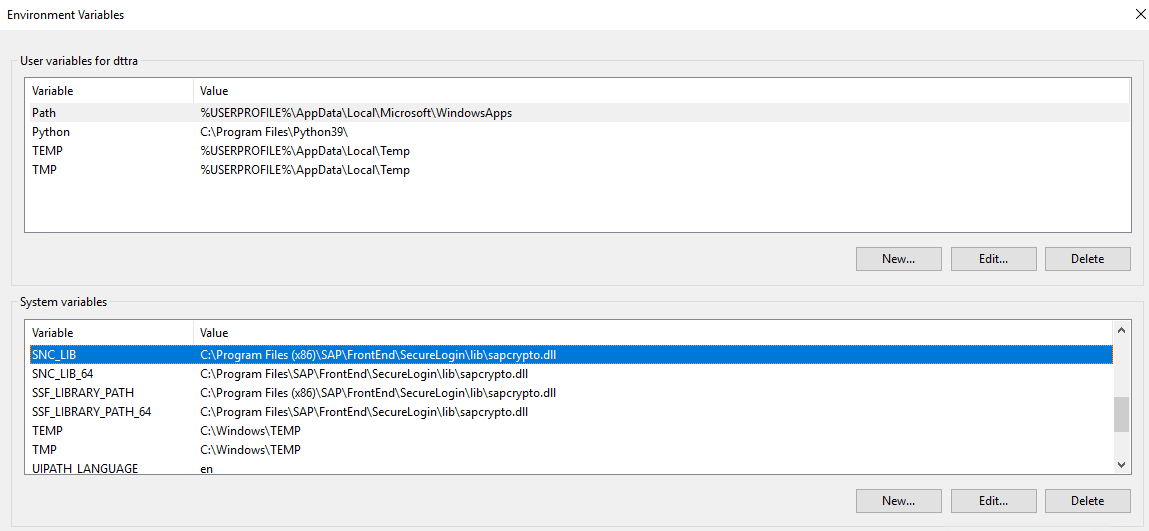
I’ve tried changing path in the properties of uipath activity to the same as C:\Program Files\Python39\
I’m not using anaconda distribution. Just installed python from the official site. The script works fine if I run it outside Studio…
I have the same issue as well with both Python 3.10 and now with Python 3.11 as I uninstalled Python and then re-installed the latest version.
Has anyone found a solution to this?
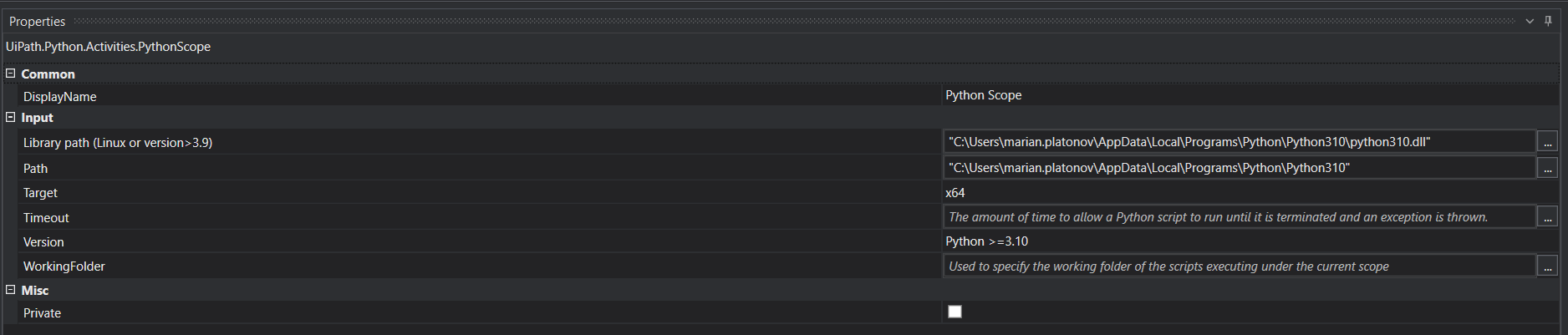
I was able to run python code after installing .NET 5.0.17 Desktop Runtime and by providing below settings for Python Scope Activity v1.6.0.
For Python 3.9.16:
Path: “C:\Users\USERNAME\AppData\Local\Programs\Python\Python39”
Working Folder: Working folder of the script.
For Python 3.10:
Library Path: “C:\Users\USERNAME\AppData\Local\Programs\Python\Python310\python310.dll”
Path: “C:\Users\USERNAME\AppData\Local\Programs\Python\Python310”
Working Folder: Working folder of the script.
Worked for me - many thanks for the guidance
Can python scope activity initialize embedded python package ?
Sam error here, I tried setting Target to “x86” and it worked.