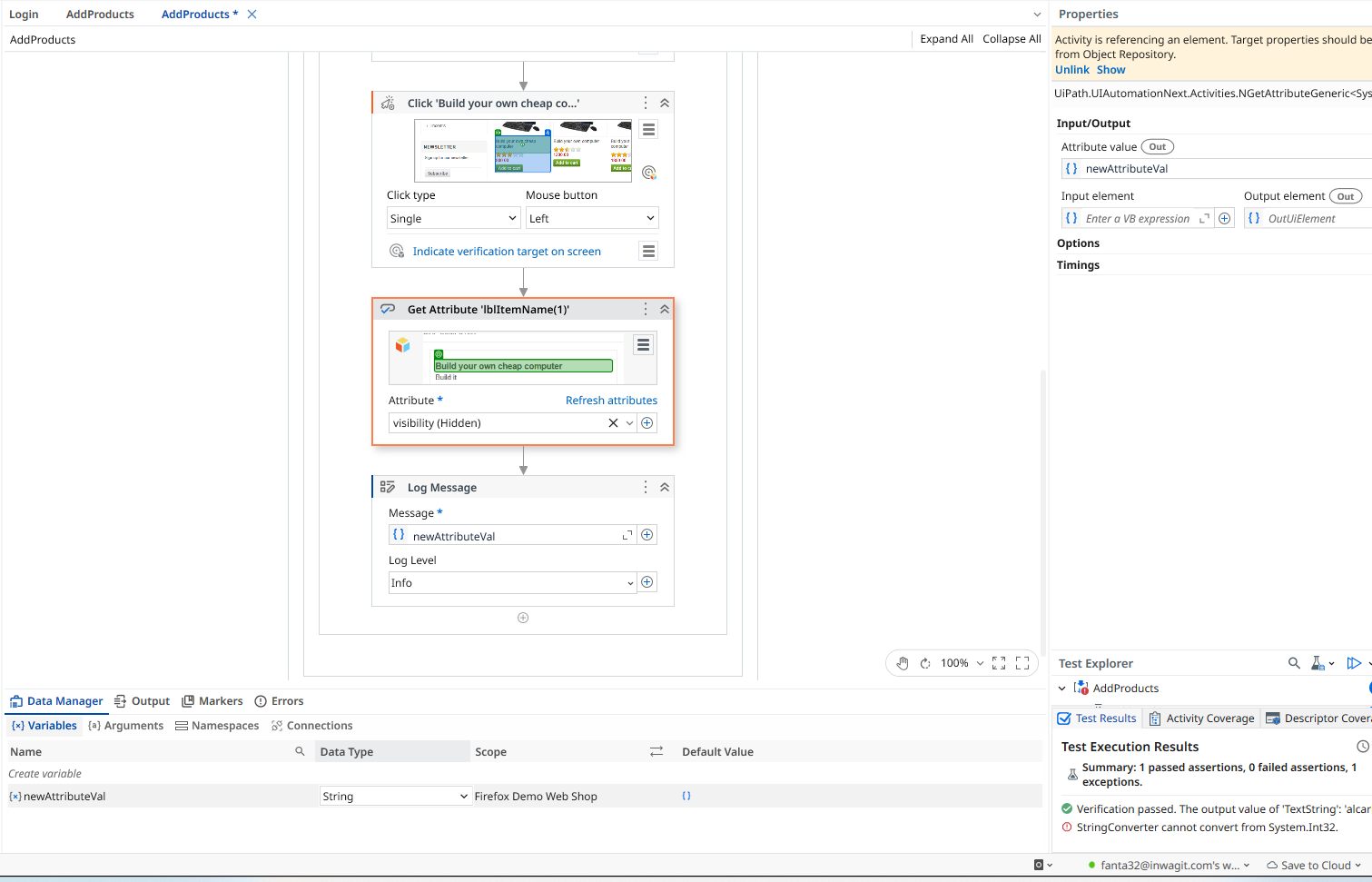
Hi Team, I’m a beginner UiPath user and exploring its functionalities for our possible next test automation tool, I would kindly ask for help on handling the Get Attribute activity. I have issues on Web UI elements with attribute that returns boolean or int32. For example I use Get Attribute activity to get the attribute: visibility which returns 0 or 1, and relativeVisibility which returns True or False. Every time I use this I encounter an error:
Thank you for your response on this, I have tried your suggestion by defining the output variable to string and follow the instructions from the video that you referred. But during run time an error was encountered.
Can you zoom out abit, is this inside of a verify activity? I think thats part of your issue here and you need to configure things slightly differently.
I hope its not too small for viewing. Its under a Main Sequence > Use Application/Browser > Do. Please tell me if you need a much clearer picture or other details that I can provide.
Ah ok, I think I see why you have an issue then, the stuff you put on the tests threw me off.
Try this.
Delete the variable you have there already, and remove it from the properties pane.
Now go to the properties pane where you have the ‘Attribute Value’ out argument. Press ctrl + k and type out the variable name and press enter.
This will make a new variable with the data type of that property. I think that should solve your issue.
The attribute will be an enum, rather than a string.
You dont have to cast, you can just use the enums as they are intended and compare the enum returned to the enum you want, no turning it into ints or strings.
Ok, then its a string data type on that attribute. Not an Enum apparently. You can confirm by hovering over the argument in the property pane.
What you have shown so far is a verification issue, not a runtime error, so you need to show us where you are verifying this value and the code to read the attribute looks fine.
I also thought the attribute value is already in String since the created variable is automatically in String (data type), I don’t understand why it has an error converting from int32.
The returned value is neither string nor int32, its called ENUM and is of the type NVisibilityLevel, you should not create a variable of type string and pass it to the Attribute value field.
remove your string variable from Attribute value textbox and press “ctrl” + “K” and then give the name of the new variable, and when you see the type of new variable under datamanager->Variables, it should be NVisibilityLevel.
Thank you for responding on my inquiry. I also tried to removed the variable and created a new one. But upon creation, the new variable data type defaults to String. You may kindly refer to my previous reply to Jon.
Manually changing the data type to NVisibilityLevel also causes an issue.
Thank you for responding on my inquiry, I also tried to remove the existing variable then created a new one, but the newly created variable data type always defaults to String, manually updating the Data Type to others causes an issue. You may refer on my previous replies to Jon.
May I ask on how do you get the Save to field in your activity? My Get Attribute activity has only Attribute field, I can try that Save to to see if it can resolve my issue.
Interesting how the Attribute value is typed as as visibility without any double quotes, in your get attribute activity…
it takes string inputs whatever attribute name you mention, has to be typed with double quotes.
Pls don’t tell me, its another variable..
so i think what you need to do is put another Get attribute activity and “SELECT” the attribute type as Visibilityfrom the dropdown and then goto your attribute value property and press “ctrl+K”(to create a new variable) and give it a name…
it should then populate the correct return type.
I’m having similar issue and it’s driving me mad
I’m trying to retrieve attribute tableRow which I verified is of type Int32. I selected value from dropdown and used static selector just to make UiPath do its magic and guess resulting data type. When I Press CTRL+K its creating a variable of String type…
If I just manually create variable of Int32 and enter it’s name in Attribute value in activity’s Properties panel the field gets red outline and I am unable to save it. Whenever I change focus and go back to that activity my attempted changes disappear…
Edit:
Getting the same error even when Attribute value property is cleared and I’m just using Output element. I tried both “tableRow” in double quotes and just selecting tableRow from dropdown becau
se I suspected it may be also issue with attribute name… but I guess it’s not.
Edit 2: I think I’ll just use Highlight element to output uiElement and use Get("attributeName") method